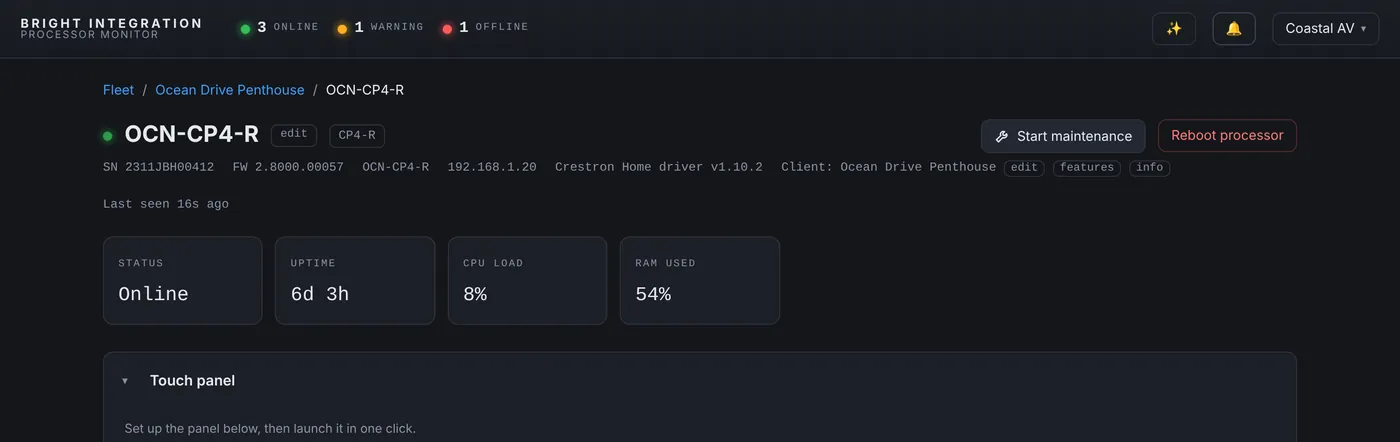
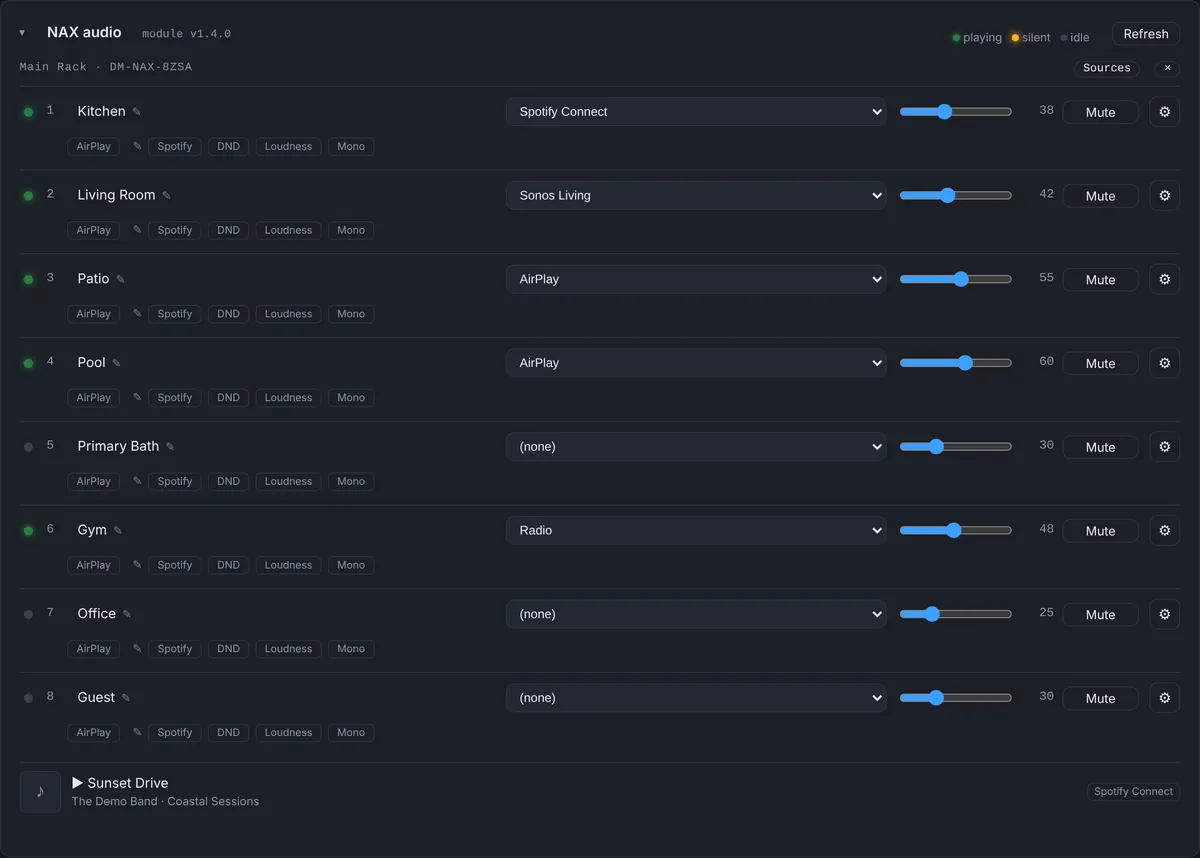
Some of the most useful lessons come from our own equipment. This one happened on the Crestron Home system I use for development and testing: a CP4-R with a DM-NAX-8ZSA, a thermostat, two NVX endpoints and the usual lights and shades.
What the alert said
One morning the NAX alert fired. At the time the dashboard worded it as “not reporting”, because no NAX data had arrived for more than five minutes. The natural reaction is to think the amplifier is down. It wasn’t:
- The amplifier was online. Crestron Home’s own device list showed the NAX online at its IP address, and all six zones (Office, Dining Room, Garage, Kitchen, Entrance, Living Room) showed online with no faults.
- The thermostat stopped too. The Lounge thermostat’s last reading arrived at the same second as the last NAX update, 9:54 AM.
- The processor was fine. Its regular heartbeat kept arriving every minute, so the Crestron Home driver was still running.
- It wasn’t the dashboard. NAX and thermostat modules on other processors were reporting normally, and nothing from this processor had been refused.
So the driver was alive, the amplifier was alive, and two specific feeds had stopped at the same moment.
Why those two feeds
On a Crestron Home processor, the monitoring driver can’t read the NAX the way a SIMPL module does. It reads the Crestron Home media rooms and the thermostats through Crestron Home’s own Web API, which needs the Web API token created in Crestron Home Setup. The heartbeat, with CPU, memory and uptime, doesn’t use that token at all.
That is exactly the pattern we saw: everything that depends on the token stopped together, and everything that doesn’t kept going. I rebooted the NAX first, which of course changed nothing. The cause was the Web API key. Once it was fixed, the NAX and thermostat data came back within a minute and the alert cleared by itself.
What changed on the dashboard
An alert that says “not reporting” sends you looking at the amplifier. So the NAX alert on Crestron Home processors now names the likely cause directly:
NAX8ZSA: no data since Oct 16, 9:54 AM - check the Web API token
On SIMPL systems, where NAX data comes from a module in the program, the alert says whether the amplifier itself is still online according to the processor’s IP table. Either way the technician knows, before leaving, whether this is a hardware problem or a data problem.
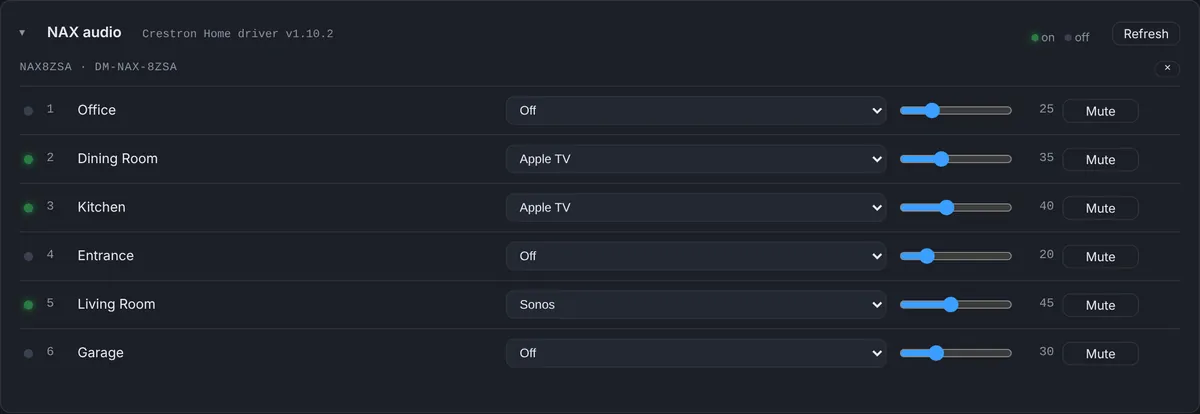
What to check if you see this
- Look at the processor’s heartbeat. If it is still reporting, the driver is running.
- Check whether the thermostats on the same processor stopped at the same time. If they did, the Web API is the common factor.
- In Crestron Home Setup, open System Control Options, Web API Settings, and confirm the token the driver is using is still valid. Update the driver setting if it changed.
The broader lesson is about alert wording. “Something is wrong with the NAX” is true and useless. “The amplifier is fine, the data stopped, check the token” is a two-minute fix.
Used in this post
Crestron Home Monitoring and Crestron NAX Monitoring, part of Processor Monitor. $99 per processor per month, cancel anytime.