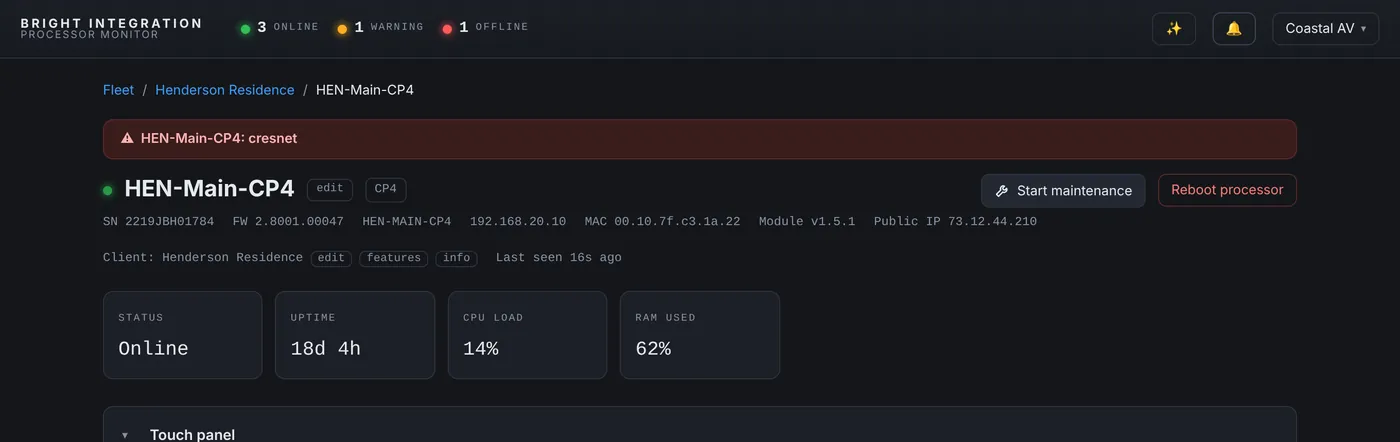
For twenty years, the way I found out a Crestron system was down was the same way every integrator does: the phone rang. By then the client had already been frustrated for a while, had probably tried rebooting things, and was calling to tell me something I should have known first.
Processor Monitor was built to change that order of events. Here is what a month of real data shows, and why the order matters.
What a month of offline alerts looks like
Every processor reports every 60 seconds. When three reports in a row are missed, about three minutes, the dashboard marks it offline and sends an alert by push notification and email. Since the fleet started keeping a full event history in mid-September 2026, it has sent 57 processor offline alerts. These numbers include my own office and test processors, which get rebooted and reprogrammed more than any client system, so treat them as a picture of the pattern rather than a reliability statistic.
- 44 of the 57 processors were back online within 15 minutes.
- 49 were back within an hour.
- The longest outage lasted about 4 hours and 25 minutes.
- 15 of the alerts fired between 7 PM and 8 AM, when nobody would have been watching a dashboard.
That split is the whole argument in two numbers. Most outages are short: a program load, a firmware update, a brief network drop, a power blip. A handful are not, and those are the ones that turn into an angry call if you don’t hear about them first.
The restart tells you why
When a processor comes back, the dashboard compares its boot ID and works out what happened. Across the fleet we have logged 159 restarts so far. Nine came back after a gap in reporting, which is the signature of a power loss or a network outage at the site. Four were reboots requested from the dashboard. The rest were restarts without a dashboard request: local reboots, program loads, firmware updates and the occasional crash, many of them during commissioning and development.
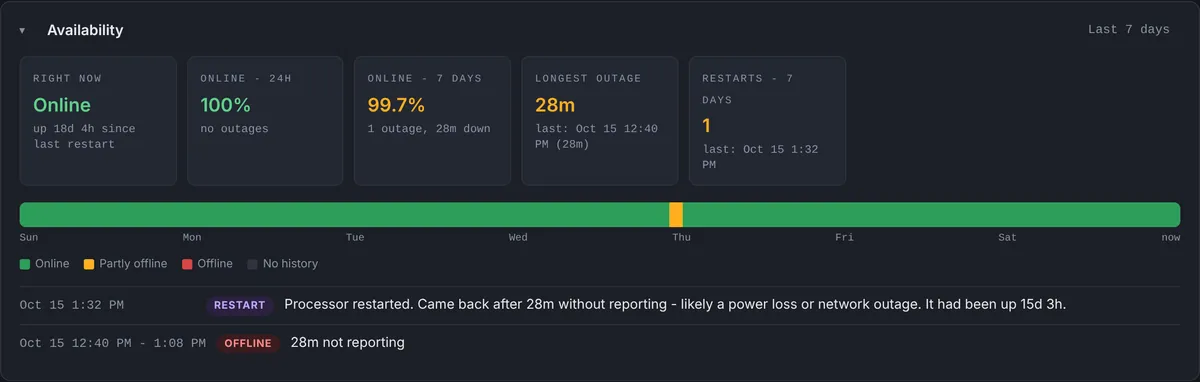
That label changes the conversation with the client. “Your system lost power for 28 minutes at 12:38 this afternoon and came back on its own” is a very different call from “I’m not sure what happened, I’ll come take a look”.
Why hearing it first matters
You call them. The single biggest difference is who picks up the phone. A dealer who calls a client to say “we saw your system go offline, it’s back, here’s what happened” is providing a service. A dealer who learns about it from the client is defending one.
You arrive knowing what you’re looking for. An offline alert comes with the processor’s last report: its uptime, its CPU, which programs were running and which devices were connected. If it doesn’t come back, you know before you leave whether to bring a power supply, a switch or a laptop.
Many problems never need a visit. A stopped program can be restarted from the dashboard, a frozen device can have its WattBox outlet cycled, and a processor can be rebooted remotely. The remote tools exist because so many offline and half-working systems are fixed by a restart.
Nights and weekends stop being blind spots. Fifteen of the alerts in that month fired overnight. With push notifications on the phone, you decide in the morning whether it needs attention, instead of finding out from a client at 8 AM.
Making alerts useful instead of noisy
An alert system that cries wolf gets ignored, so a few rules matter as much as the alert itself:
- Three missed reports, not one. A single lost packet never pages anyone.
- A “Resolved” message when the processor comes back, so a short outage closes itself in your notifications.
- Re-notify on a schedule, hourly for the first day and then daily by default, instead of every minute.
- Maintenance Mode while you are on site, so a planned reboot doesn’t wake your team.
- The right people: the dealer, the technicians assigned to that client, and optionally the client’s own contact.
The bottom line
A processor going offline is not unusual. Most of the time it comes back on its own within minutes. The value of the alert is in the few times it doesn’t, and in knowing about all of them before the client does. After a month of watching a real fleet this way, I wouldn’t go back to waiting for the phone to ring.
Used in this post
Crestron 4-Series Processor Monitoring and Crestron Remote Console Restart & Reboot, part of Processor Monitor. $99 per processor per month, cancel anytime.