Why Crestron Home needs its own approach
On a regular 4-Series processor, the Bright Monitor Agent runs in its own program slot. A Crestron Home processor runs the Crestron Home OS instead of SIMPL programs, so there is no slot to put an agent in. The answer is a Crestron Home extension driver: you add it in Crestron Home Setup like any other driver, and it does the monitoring from inside the system.
Clients never see it. The driver adds no tile, no page and no button to the touch panels or the Crestron Home app. Everything it knows goes to the dealer dashboard.
Setup takes two settings
- The enrollment code from the dashboard, the same one-time code used for 4-Series processors. The driver trades it for the processor’s own key.
- The Crestron Home Web API token, created in Crestron Home Setup under System Control Options, Web API Settings. The driver uses it to read the status of the devices Crestron Home controls.
There is no server address to type and no extra key per feature. One key per processor covers the heartbeat, diagnostics, thermostats, NAX and NVX.
What the driver reports
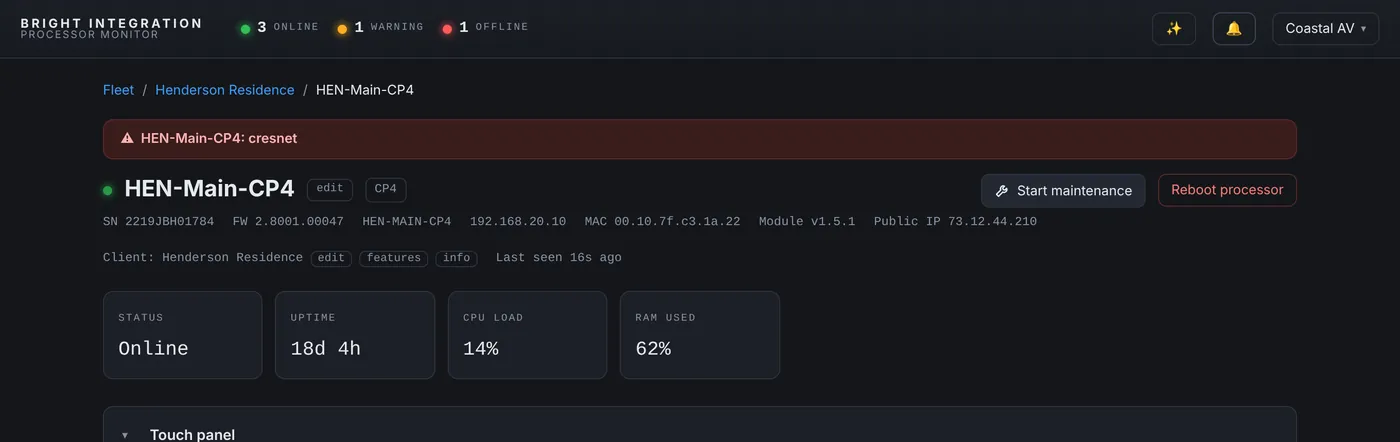
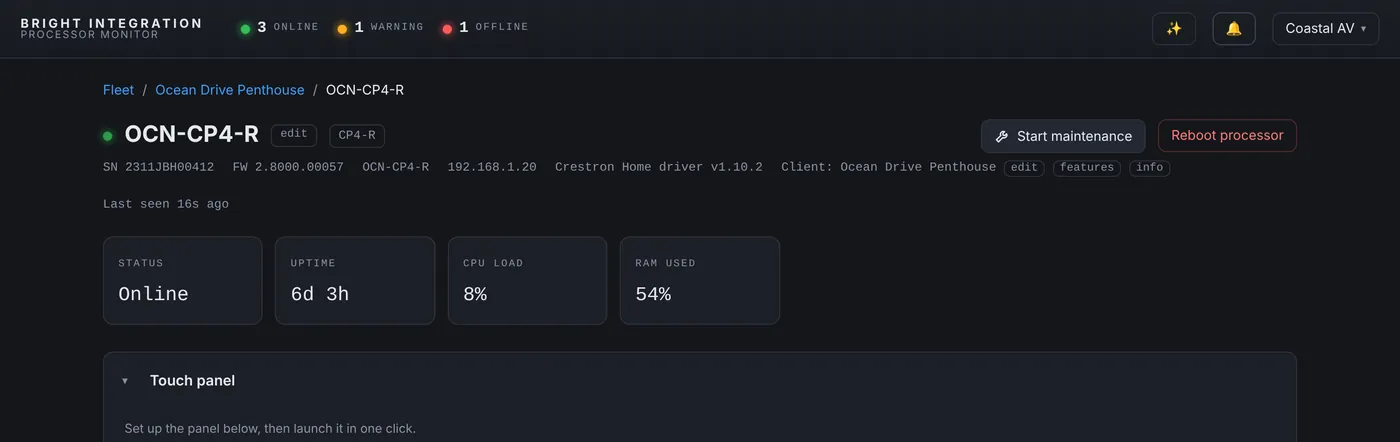
- Processor health every 60 seconds: CPU, memory, uptime, firmware, model, serial and IP. Offline after about three minutes of silence, with an alert.
- Restarts with the reason, the same way as on 4-Series processors.
- Every Crestron Home device by name and room, such as “Kitchen Pendants (Kitchen)” or “Living TV (Living Room)”, with its type and online state. Lights, shades, thermostats, locks and sensors come straight from Crestron Home’s own status through the Web API. Touch panels, TVs, Sonos speakers and other network devices are checked on the network against the port Crestron Home uses to control them.
- Diagnostics on demand: the processor error log, pulled from the dashboard.
- Remote reboot of the processor, and restart of a network device, from the dashboard.
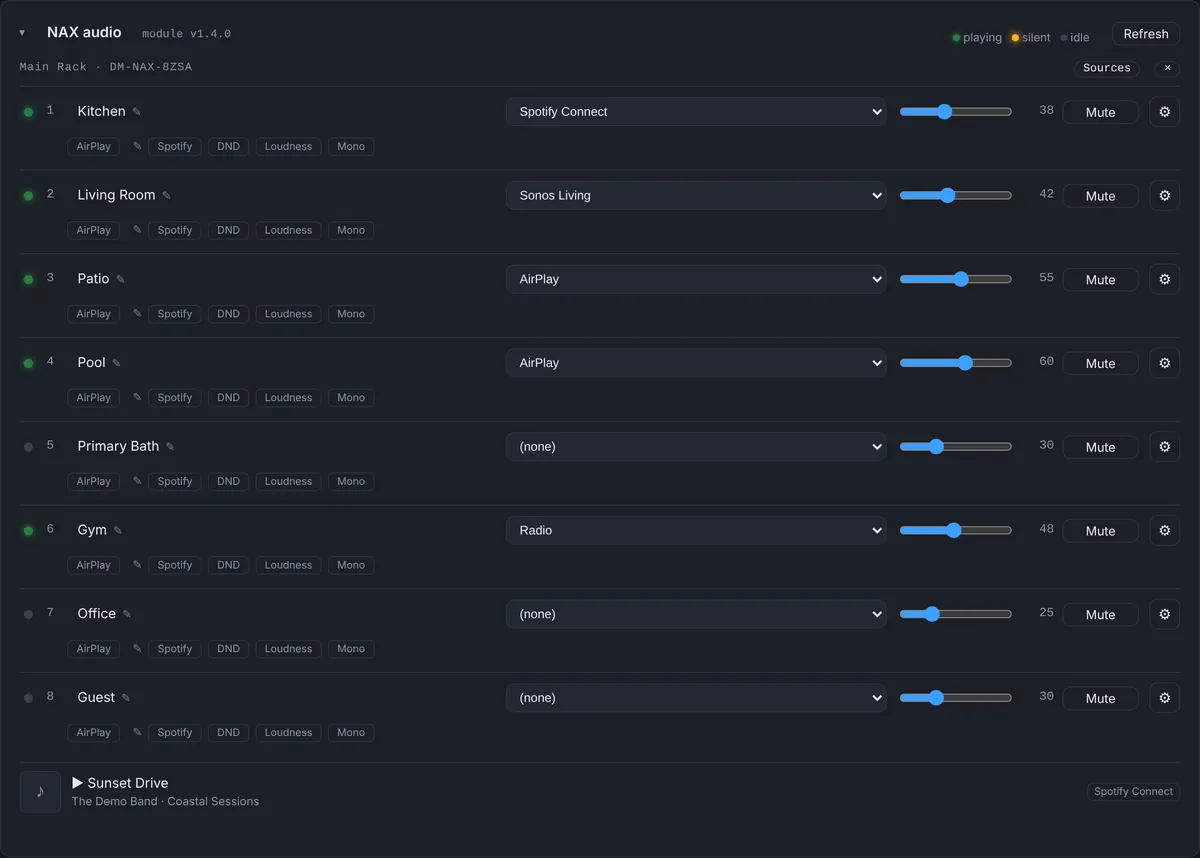
NAX audio on Crestron Home
The driver reads the Crestron Home media rooms that play through a DM-NAX amplifier and shows each zone with its source, volume and mute, which you can change from the dashboard. Controls Crestron Home can’t provide, such as tone or AES67 routing, are hidden instead of shown and broken.
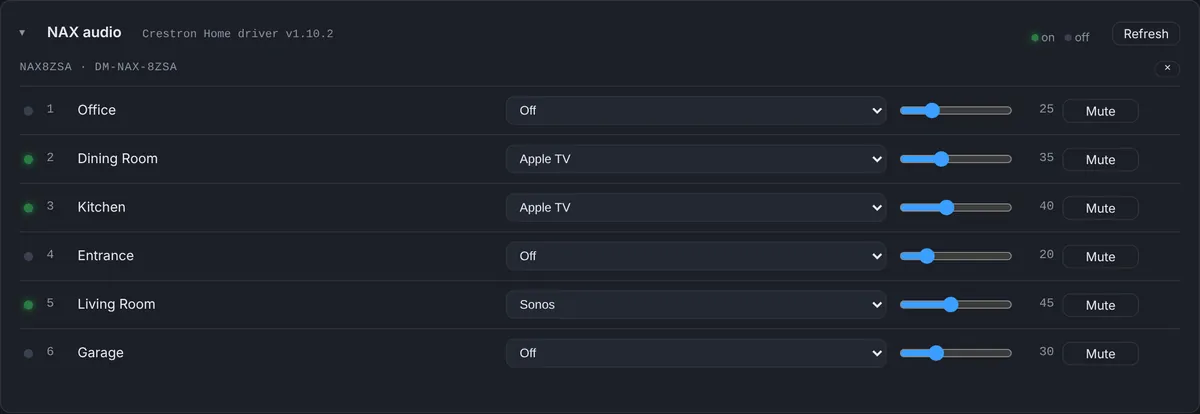
Because these readings depend on the Web API token, a token that has expired or been changed stops the NAX and thermostat data while the processor itself keeps reporting. The dashboard says exactly that in the alert, “no data since 9:54 AM - check the Web API token”, instead of claiming the amplifier is down. You can read how we found that in this case from our own system.
NVX and thermostats
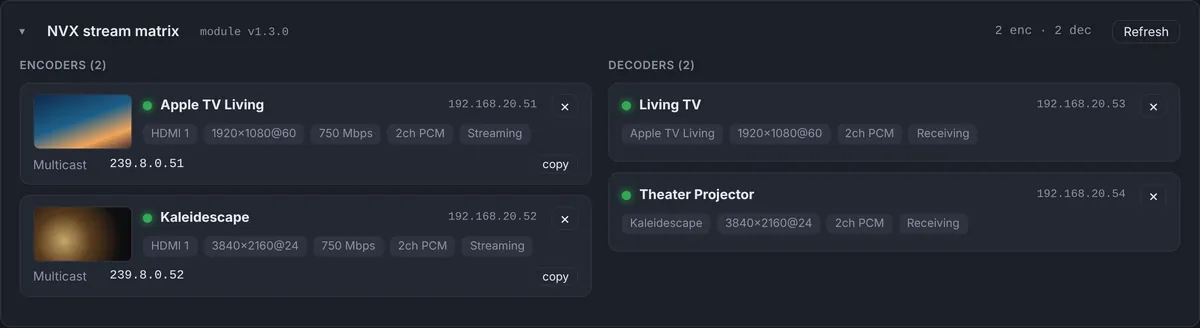
NVX endpoints show their name, room, encoder or decoder role and online state. The video source line shows the state of the room the endpoint belongs to, so a decoder in a room that is turned off reads “Room off” (here is why that is accurate). Thermostats report the room temperature and setpoint, with outside temperature and feels-like added from the weather at the client’s address, and feed the same day and week history graphs as SIMPL systems.


Alerts
Crestron Home processors get the same alert rules as any other processor: processor offline, CPU high, device offline for any device in the list, NAX faults or missing data, and thermostat temperature above or below a limit. Alerts go to your team by push notification and email, and Maintenance Mode pauses them while you work on site.
How this compares with myCrestron
Crestron’s own myCrestron Residential Monitoring Service is the natural comparison for Crestron Home. It shows processor status, backups, logs and firmware updates, and it is the right place for configuration backups and firmware. Processor Monitor focuses on what happens day to day: devices by room, NAX, NVX and thermostat data, CPU history and alerts to a whole team. Many dealers will use both. The comparison page goes through the differences.
Supported systems
The driver runs on Crestron Home processors such as the CP4-R and MC4-R. It is in daily use across several Crestron Home homes in South Florida, including multi-processor systems where each MC4-R reports on its own.
The Crestron Home calls this answers
“The kitchen lights don’t respond”
The device list shows every load by room with its online state, straight from Crestron Home. If the kitchen pendants are offline, the problem is the lighting device or its connection. If they are online, Crestron Home can reach them, and the question is the scene or the keypad.
“The touch panel says it’s offline”
Touch panels are checked on the network against the port Crestron Home uses to control them. If the panel is reachable, the processor side is fine; if it isn’t, look at the panel’s power, Wi-Fi or switch port, and the event log tells you when it dropped.
“Is the system up?”
The processor status, uptime and last restart answer this in one look, with the reason for the last restart.
Questions
Will the client see anything on their touch panels?
No. The driver adds nothing to the touch panels or the Crestron Home app.
Why is the Web API token required?
Crestron Home’s own device status, thermostat readings and NAX rooms are read through its Web API. Without the token the driver could only guess from the network.
Can one dashboard show Crestron Home and SIMPL systems together?
Yes. Both kinds of processor appear side by side in the same fleet, with the same alerts.
Does it replace myCrestron?
No. myCrestron stays the place for configuration backups and firmware updates. Processor Monitor adds day-to-day device status, history and team alerts, and many dealers use both.
Part of Processor Monitor, the Crestron monitoring dashboard for dealers. $99 per processor per month, every feature included.