What a dealer actually needs to know about a processor
When a client calls to say “the system is down”, the first questions are always the same. Is the processor online? When did it last restart, and why? Is the program running? Are the touch panels connected? Most of the time you only find out by driving to the house, or by asking the client to read lights off the rack.
Processor Monitor answers those questions before the phone rings. Each processor reports to the dashboard every 60 seconds, and that report is also its heartbeat. If three reports in a row are missed, which is about three minutes, the processor is marked offline and you, your team and anyone else you choose get an alert by phone push notification and email.
How it works on a 4-Series processor
The Bright Monitor Agent is a small SIMPL# program that you load into a free program slot on the processor, the same way you load any program. It does not need any joins, symbols or changes to the main program. Because it lives in its own slot, you can add it to a system you programmed years ago without recompiling anything.
- Create the client in the dashboard and generate a one-time enrollment code for the processor.
- Load the agent into a free program slot and enter the code. The processor trades it for its own access key, which it keeps in its local data store.
- That’s it. The processor starts reporting over HTTPS within a minute. There is no port forwarding, no VPN and no router change, because the processor only makes outbound connections.
The agent runs console commands inside the processor itself, so the dashboard never needs the processor’s admin password. Nothing about the processor’s login is stored in the cloud.
What every report includes
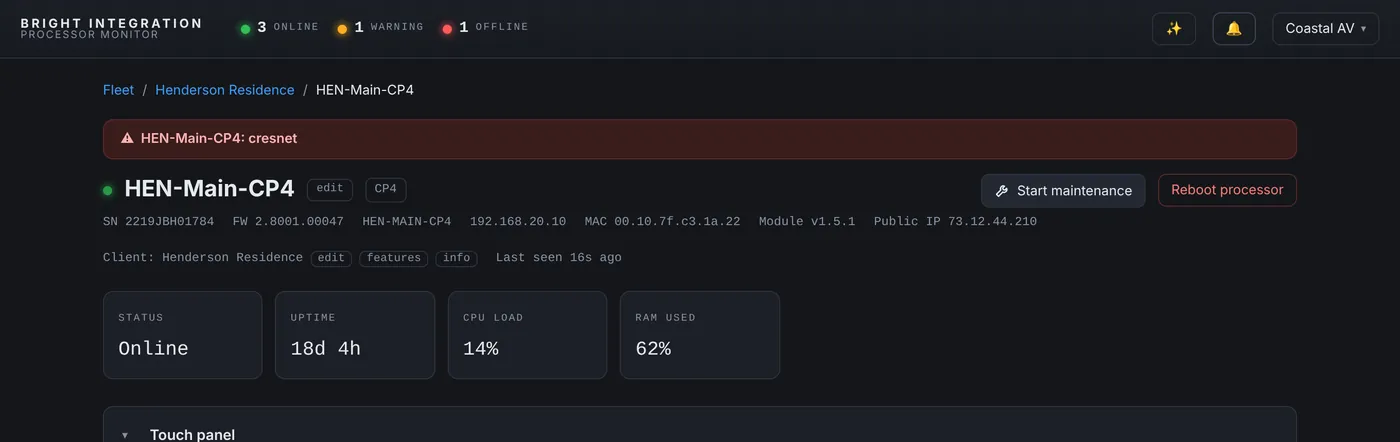
- Identity: model, serial number, firmware version, hostname, IP address, MAC address and the public IP the site is using.
- Health: CPU load, memory used and free, internal storage and uptime.
- Programs: the program name, slot and compile date, plus the running state of every program slot. A program that stops is flagged right away.
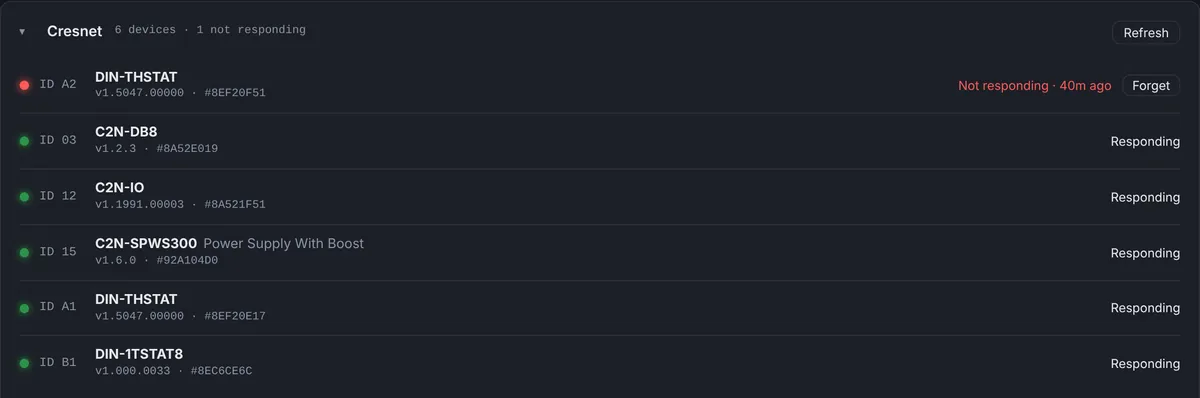
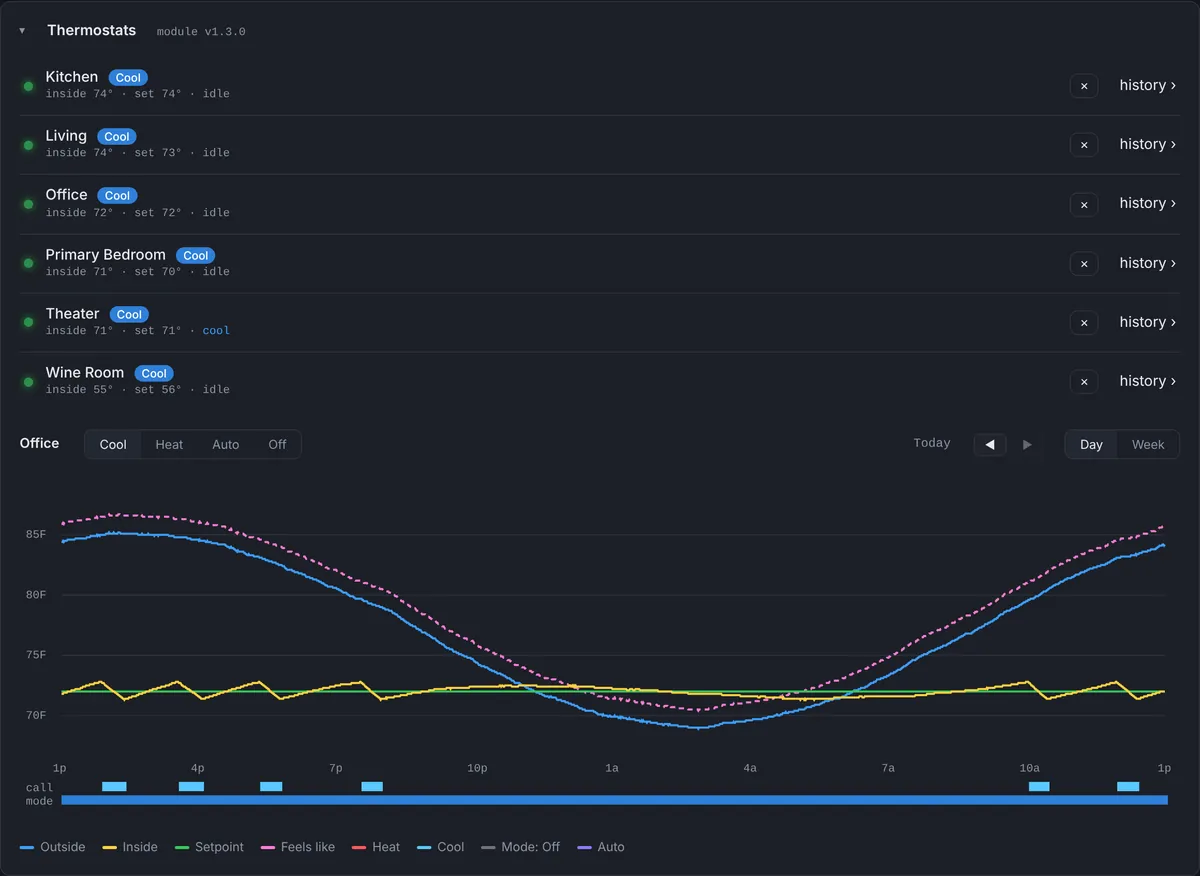
- IP table: every IP-ID in every program with its type, IP address and online or offline state. Touch panels, NVX endpoints, NAX amplifiers, thermostats and TCP clients all show up here.
- Network: the processor’s LAN settings, so you can check DHCP, gateway and DNS without logging in.
Restarts, with the reason
Every 4-Series processor reports a boot ID. When it changes, the processor has restarted, and the dashboard works out why from what it knows:
- Restarted from the dashboard, with the name of the person who asked for it.
- Came back after a gap in reporting, which almost always means a power loss or a network outage at the site.
- Restarted without a dashboard request, which points to a local reboot, a program load, a firmware update or a crash.
Each restart lands in the event log with how long the processor had been up before it, so a processor that restarts every few hours stands out immediately.
Availability and history
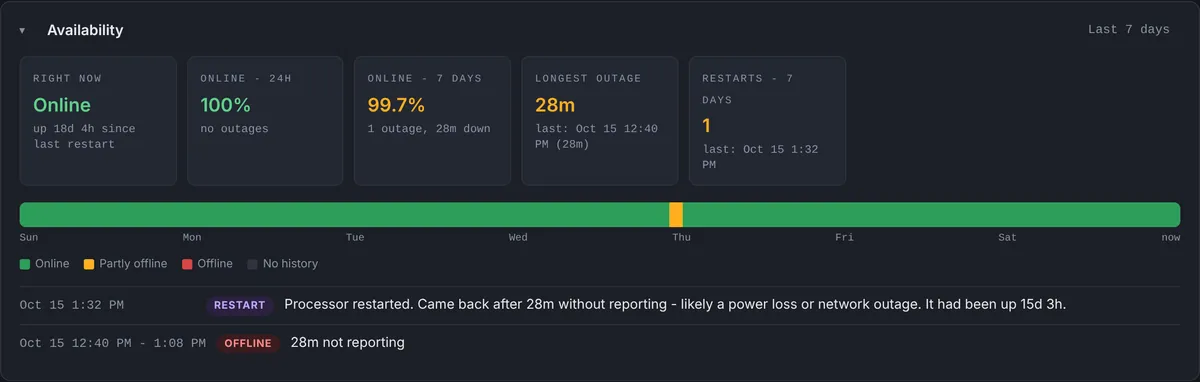
The Availability panel shows whether the processor is online right now, the percentage of time it was online over the last 24 hours and the last 7 days, the longest outage and the number of restarts. An hourly strip makes outages easy to spot, and each outage is listed with when it started and how long it lasted.
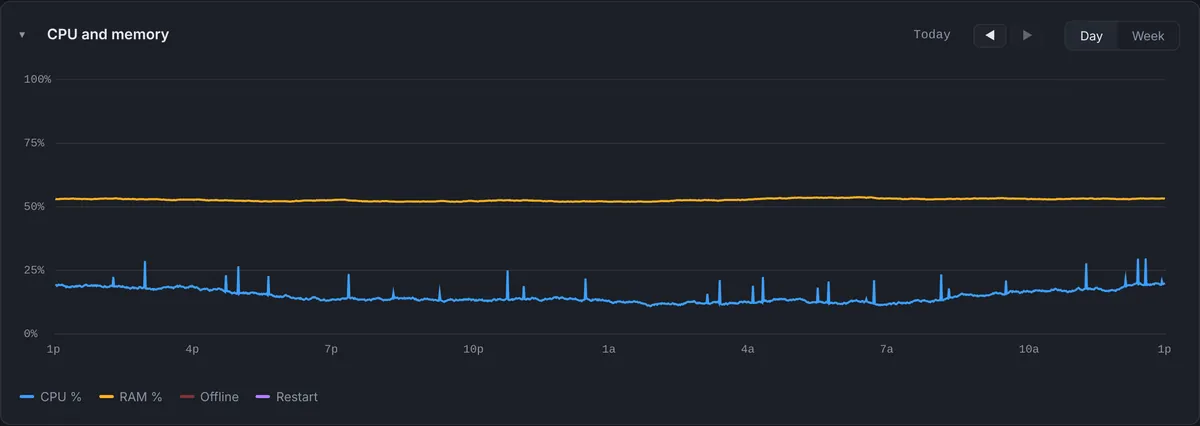
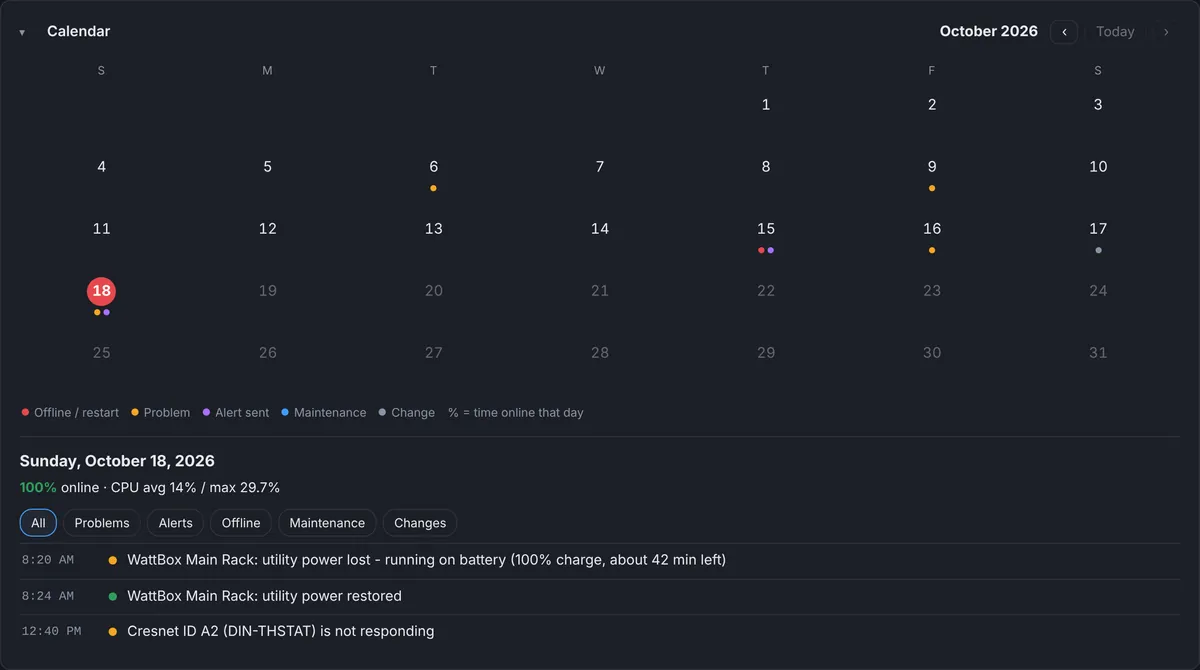
The CPU and memory graph keeps one sample per minute for 7 days, with day and week views. Offline periods and restarts are marked on the graph, so you can see whether a slow climb in CPU came before a crash. A calendar view summarizes every day of the month: the percentage online, problems, alerts sent and maintenance windows.
Alerts that reach the right people
Three alert rules are switched on for every processor: processor offline, CPU high (90% by default, adjustable) and program stopped. You can add a device offline alert for any IP-ID in the IP table, such as the main touch panel or a gate controller. Alerts go to the dealer, the team members assigned to that client, and optionally the client’s own contact, by push notification and email. A rule that stays in trouble re-notifies hourly for a day and then daily, or on the schedule you pick, and a “Resolved” message goes out when it clears.
When you are on site, Maintenance Mode pauses alerts for one processor or the whole client for 30 minutes up to 24 hours, so a planned reboot doesn’t wake up your team.
The fleet view
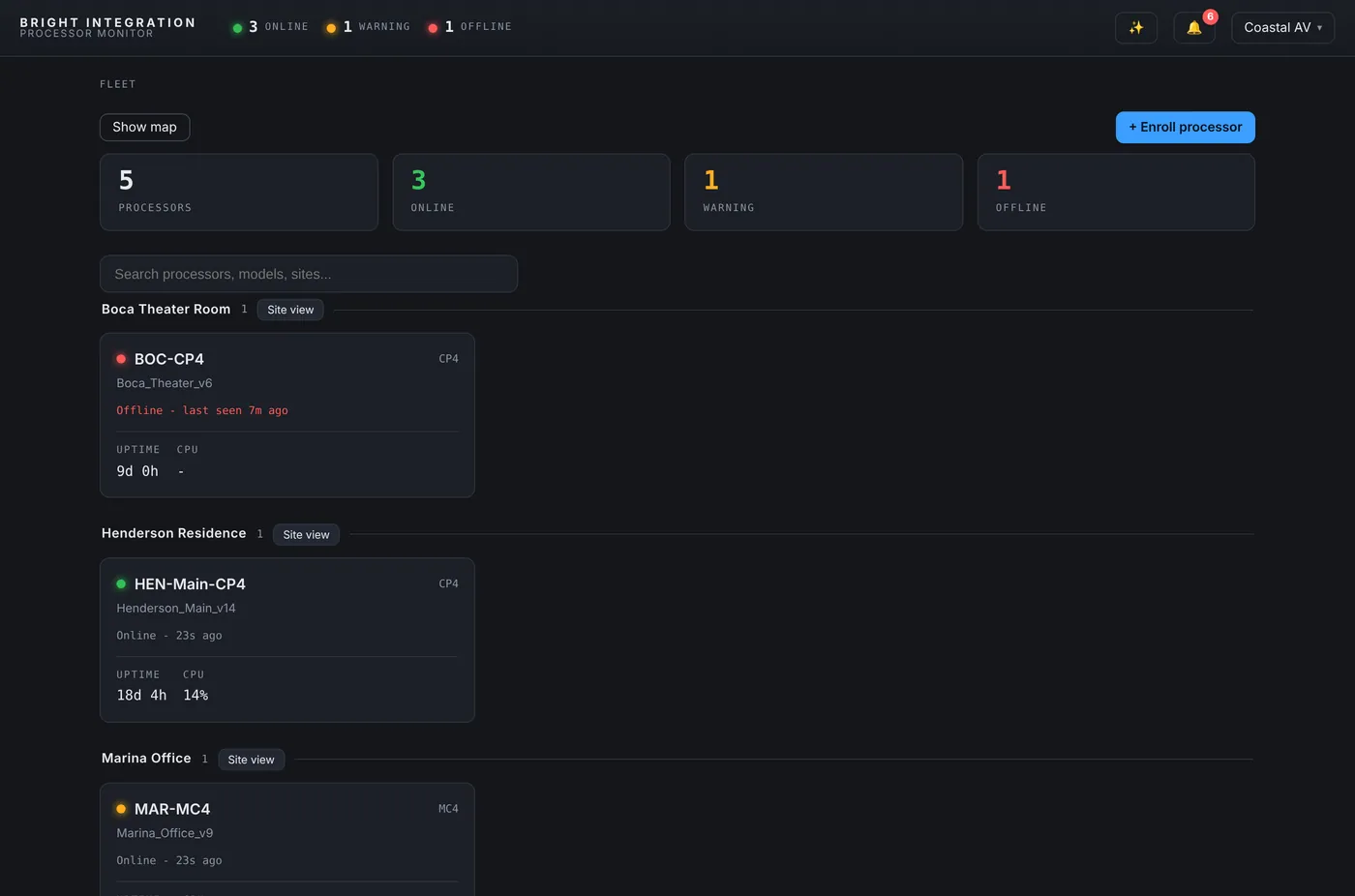
All processors across all clients appear on one page with a status light, the program name, uptime and CPU, grouped by client, with a map of every site. A Client Site View puts every processor and device at one house on a single page with its timeline and active alerts.
Which processors are supported
The agent runs on Crestron 4-Series control processors running a SIMPL Windows or SIMPL# Pro program, including the CP4, CP4N, PRO4, MC4 and RMC4. Processors running Crestron Home, such as the CP4-R and MC4-R, are covered by a separate driver, described on the Crestron Home monitoring page. 3-Series processors are not supported.
Questions
Does the agent change my program?
No. It runs in its own program slot and does not use joins, signals or symbols from your program. You can load it on a system you programmed years ago without recompiling.
What does the processor need on the network?
Outbound HTTPS to the dashboard. No port forwarding, VPN or firewall rule is needed for monitoring and alerts.
How quickly do I hear about an offline processor?
After three missed reports, which is about three minutes. The alert goes out by push notification and email at the same moment.
Part of Processor Monitor, the Crestron monitoring dashboard for dealers. $99 per processor per month, every feature included.