Every player, what it is playing and how loud
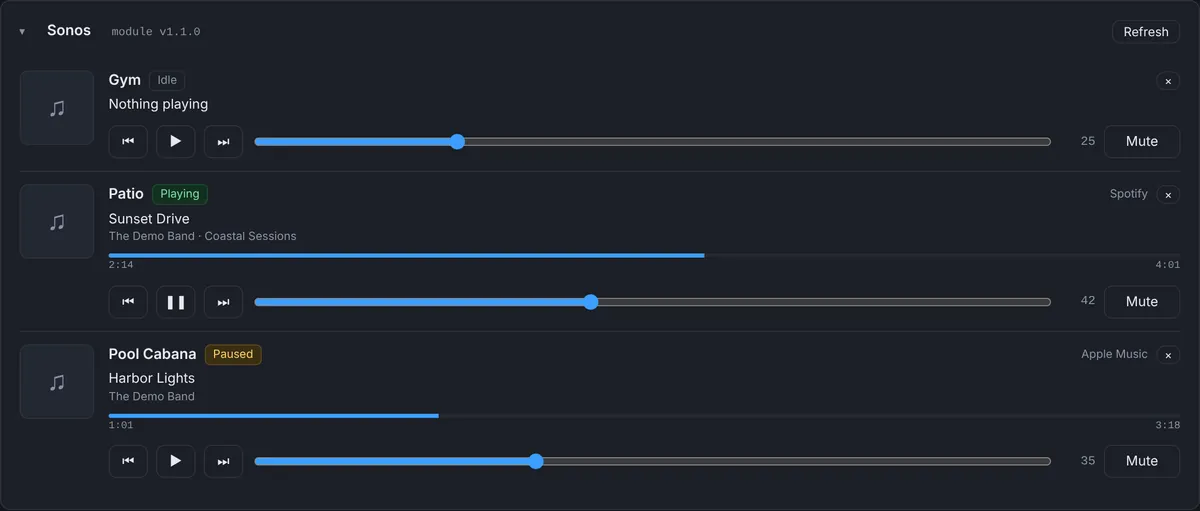
The Bright Sonos module reports each Sonos player in your Crestron program to the dashboard. For every player you see:
- State: playing, paused, idle, buffering or offline.
- What is playing: track, artist and album, the music service it comes from, and the album artwork.
- Position: a progress bar that moves with the song.
- Volume and mute.
Control from the dashboard
Each player has play and pause, previous and next, a volume slider and mute. The command goes to the processor and is applied by the module through your Sonos control in the program, so it behaves exactly like a press on the touch panel.
That is useful for more than troubleshooting. A client who left the patio playing at full volume can be helped from your phone, and a party that needs the music lowered at 11 PM doesn’t need a visit.
Alerts when a player drops
The Sonos alert switches on by itself once a player reports. It fires when the Sonos device module reports a player offline, or when a player has stopped reporting for more than 5 minutes (the module reports at least every 2 minutes). The alert names the players, so “Sonos Patio offline” tells you where to look, and a “Resolved” message goes out when they are back.
A Sonos player that goes offline is usually a network problem: a switch port, a Wi-Fi change after a router replacement, or power. Because Processor Monitor also watches the WattBox outlets and the processor’s IP table, you can often see the cause in the same event log.
Sonos on Crestron Home
On Crestron Home processors, Sonos speakers appear in the device list with their room and online state, checked on the network by the Crestron Home driver, and you can add a device offline alert for any of them. See Crestron Home monitoring.
Why monitor Sonos at all
Clients judge the whole system by the things they use every day, and music is one of them. When Sonos stops working, the call is “the Crestron is broken”, even when the cause is a speaker that lost its network. Seeing it first, with the player name and the time it dropped, makes that call short or makes it unnecessary.
It also helps with the questions that come after a visit. If a client says the kitchen speaker has been dropping off for a week, the event log shows when it happened, how often and whether anything else on the network did the same at the same time.
What you need
Sonos players controlled from a 4-Series program, with the Bright Sonos module next to your Sonos control. Nothing is installed on the Sonos players themselves and no Sonos account login is stored in the cloud.
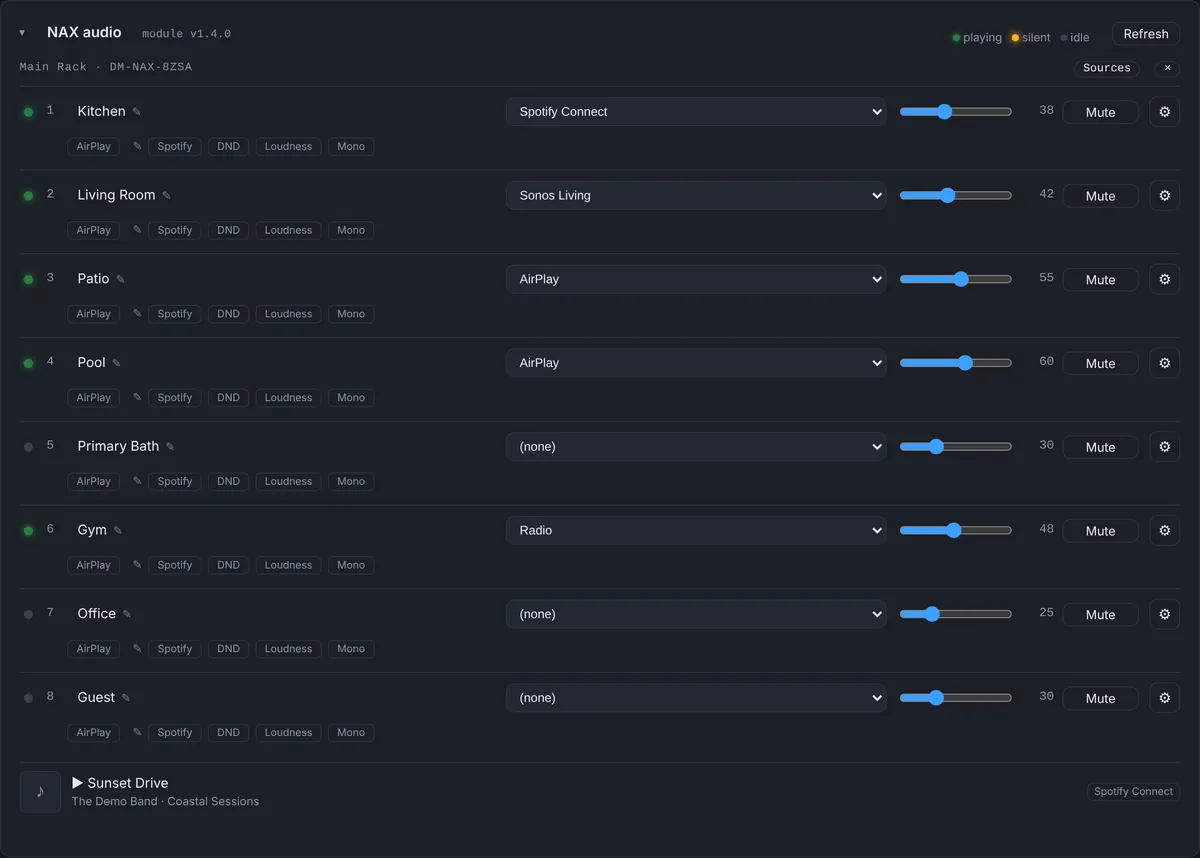
Sonos and NAX in the same house
Many of our homes use both: Sonos as a source and NAX amplifiers to drive the ceiling speakers. When a room is silent, it helps to see both sides at once. If the Sonos player is playing and the NAX zone shows no signal on that input, the problem is the connection between them. If the NAX zone has signal but is muted or on another source, it is a one-tap fix on the NAX panel. If the Sonos player itself is offline, the NAX is not the place to look.
Who hears about it
Sonos alerts follow the same rules as every other alert: the dealer, the team members assigned to that client, and optionally the client’s own contact, by push notification and email. Each person can turn alerts on or off, Maintenance Mode pauses them while you work on site, and a player that stays offline re-notifies on the schedule you choose instead of every few minutes.
The Sonos calls this answers
“The music won’t play in the kitchen”
If the kitchen player shows offline, the problem is power or network, and the event log shows when it dropped. If it is online and paused or idle, the player is fine, and pressing play from the dashboard tells you whether the problem is what it was asked to play. If it is playing with the volume at zero or muted, it is a one-tap fix.
“Some speakers dropped after the internet company came”
A new router often changes the network the players depend on. Several players going offline together, right after a known change, points to the network rather than the speakers, and the alert times tell you exactly when it happened.
“The patio is still playing”
Pause it or lower it from your phone, and the client never has to find the right app.
Setting it up
- Add the Bright Sonos module next to the Sonos control in your 4-Series program.
- Load the program. The module reports through the Bright Monitor Agent already on the processor.
- Players appear on the dashboard at the next report, and the Sonos alert turns itself on.
Questions
Do I need a Sonos account login?
No. The module works through the Sonos control already in your Crestron program.
Can I change the volume from my phone?
Yes. The dashboard works on a phone, and each player has a volume slider and mute.
When does the Sonos alert fire?
When a player is reported offline, or when a player has not reported for more than 5 minutes.
Will this conflict with the client’s Sonos app?
No. Commands from the dashboard go through your program the same way a touch panel press does, and the Sonos app keeps working as usual.
Is anything installed on the Sonos players?
No. Nothing is installed on the players and no Sonos account is needed. The module only uses the Sonos control already in your Crestron program, so updates from Sonos don’t require any change on the dashboard side.
Part of Processor Monitor, the Crestron monitoring dashboard for dealers. $99 per processor per month, every feature included.